Every decoration, back where it goes.

Sit Stay Decorate remembers what you own, which bin it's in and exactly where it goes, from the roof line to the mantel. For every holiday, all year.

iPhone on the App Store, coming soonAndroid on Google Play, coming soon

A Lab for every holiday

The app's Lab and colors change with the calendar. Tap one to see the page change with it.
Decorating, minus the hunt

Add each decoration once. After that the app knows where it lives and where it goes, so putting things out and packing them away takes a checklist instead of a scavenger hunt.

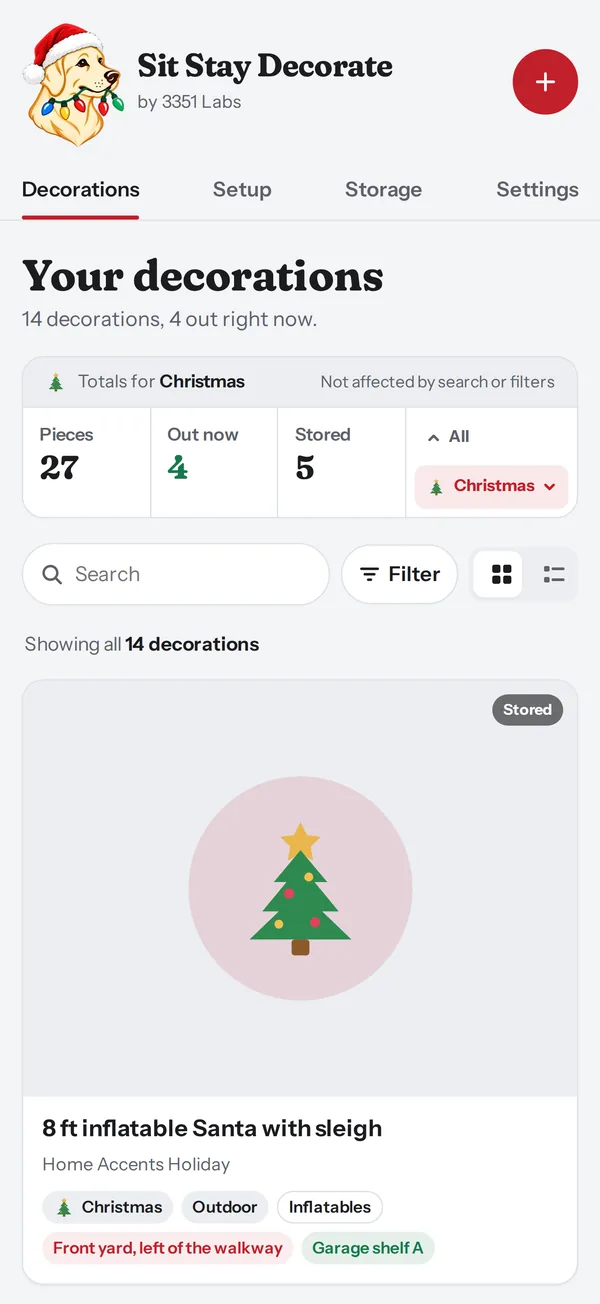
  1. Add it once

    Photo, holiday, bin, spot

    Snap a photo or paste the store link and the details fill in. Note which tote it lives in and where it goes in the yard.

    The Decorations screen listing a 9 ft Christmas tree, roof line lights and an inflatable Santa, with totals for Christmas
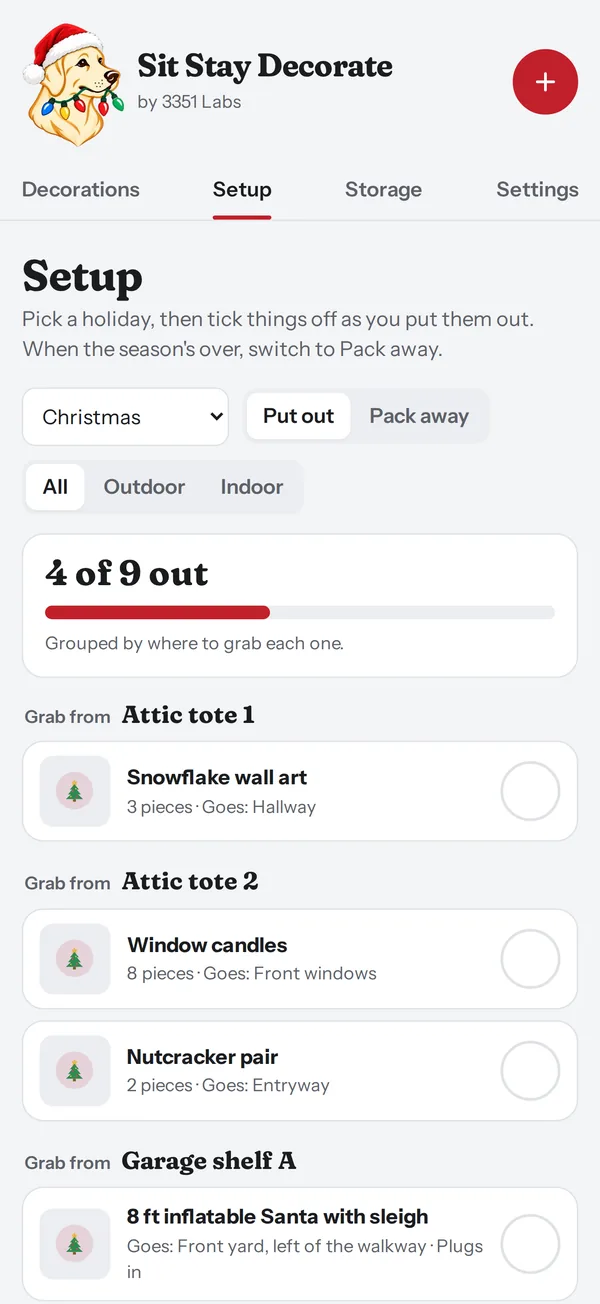
  2. Put it out

    A checklist for the season

    Pick a holiday and tick things off as they go up, grouped by the shelf or bin you're grabbing from.

    The Setup checklist showing 4 of 9 Christmas decorations out, grouped by Attic tote 1 and Attic tote 2
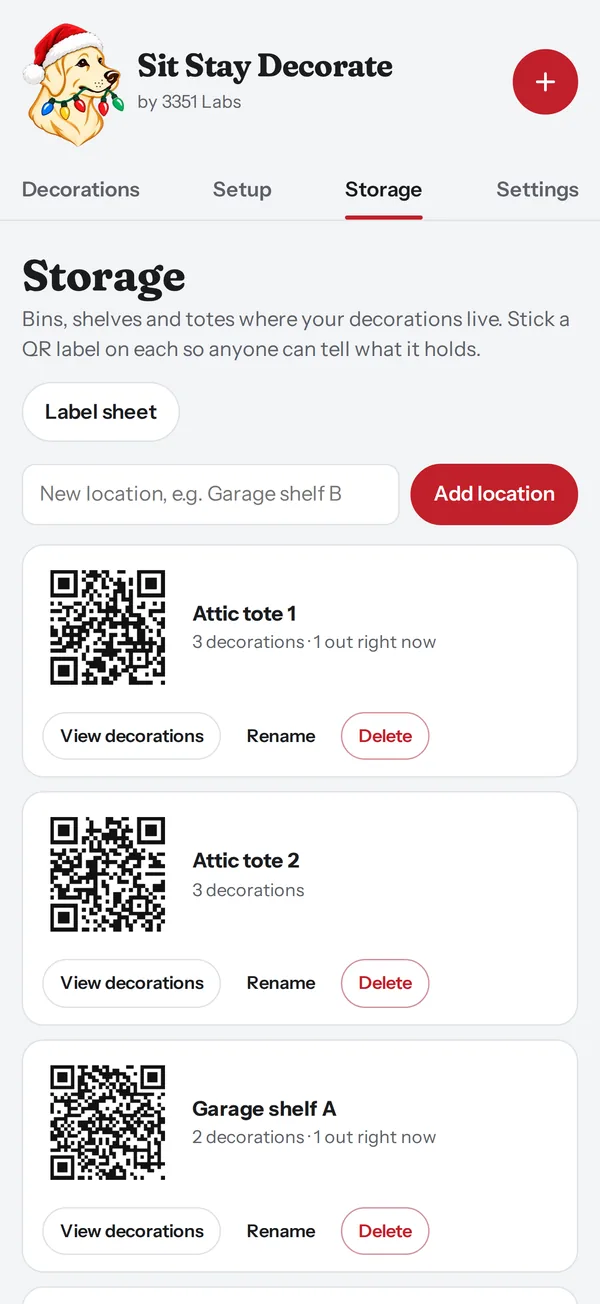
  3. Pack it away

    Next year starts organized

    Switch to Pack away when the season's over. Print QR labels for your totes so anyone can tell what's inside.

    The Storage screen with QR labels for Attic tote 1, Attic tote 2 and Garage shelf A

Made for the way people actually decorate

Add from a website

Paste a link from the store where you bought it. The name, brand, description and photo fill in for you.

Every holiday

New Year's through Christmas, Hanukkah and all-season decor, plus any holiday you add with your own icon.

Indoors and out

Filter the checklist to just the yard or just the house, so the outdoor crew and the mantel crew each get their own list.

Tags, search and filters

Group things your way: Lights, Garland, Inflatables, Wall art. Find the extension-cord bin in a second.

Setup photos and notes

Remember how the porch looked and which outlet the timer was on, so it goes back up the same way.

Private by design

No account and no ads. Your decorations stay on your phone, and you can export a backup anytime.

Free to start. One price to keep.

No subscription. Use the free version as long as you like, and upgrade once if your collection outgrows it.

Free

$0
  • Up to 25 decorations
  • 5 fill-ins from a website
  • Every holiday, plus your own
  • Setup and pack-away checklists
  • Storage locations and tags

On the web today, and in the iPhone and Android apps.

Plus

$14.99One time. Yours to keep.
  • Unlimited decorations
  • Unlimited fill-ins from a website
  • Setup photos of how it looks up
  • QR labels for bins and shelves
  • Pick your favorite Lab to keep all year

In the iPhone and Android apps.

Questions

Do I need an account?

No. Open the app and start adding decorations. There's nothing to sign up for.

Where is my list kept?

On your phone in the apps, or in your browser on the website. Nothing is stored on our servers. Use Export backup in Settings to save a copy or move to a new phone.

Is Plus a subscription?

No. Plus is a single $14.99 purchase through the App Store or Google Play. Restore it on a new phone at no charge.

Can I use it before the apps come out?

Yes. sitstaydecorate.app works in any browser as the free version. When the apps arrive, export a backup from the website and import it into the app.

Is the Lab a real dog?

He's drawn from George Bailey, the yellow Lab who supervises every light-hanging at 3351 Labs.

Start with the decoration you put out first every year.

Try it free on the web